Text-to-image AI enables the conversion of textual descriptions into visual representations, leveraging advanced natural language processing (NLP) and machine learning techniques. Google Cloud provides robust tools and resources, including pre-trained models like Imagen and Gemini 3 Pro Image, which facilitate the integration of this transformative technology into various applications.
Understanding Text-to-Image AI
Text-to-image AI functions by interpreting text inputs and generating corresponding images. This process relies on natural language processing to analyze the text, which is then processed through a machine learning model trained on extensive datasets comprising images and their descriptive text. The model identifies patterns and relationships between words and visual elements, enabling it to create or modify images based on user input.
For instance, if a user inputs a phrase like “a serene mountain landscape at sunset,” the text-to-image AI will generate an image that reflects this description, capturing elements such as mountains, the sky’s colors, and the overall ambiance. This capability is part of the broader field of generative AI, which focuses on creating new content rather than just analyzing existing data.
📚 Recommended Digital Learning Resources
Take your skills to the next level:
Machine Learning Models Behind Text-to-Image AI
The backbone of text-to-image AI lies in sophisticated machine learning models that are meticulously trained on large datasets. Google Cloud leverages models like Imagen and Gemini 3 Pro Image, which have undergone extensive training to enhance their understanding of visual concepts and improve image generation quality. These models utilize techniques such as diffusion and conditional generation to refine their outputs.
In particular, Imagen is known for its ability to produce high-fidelity images that closely align with the given text prompts. Its architecture employs a two-step generation process: first, it creates a rough image based on the textual description, followed by a refinement stage where details are added to enhance realism and clarity. Gemini 3 Pro Image builds on this foundation, offering even more nuanced image outputs by better interpreting complex descriptions.
📊 Key Learning Points Infographic
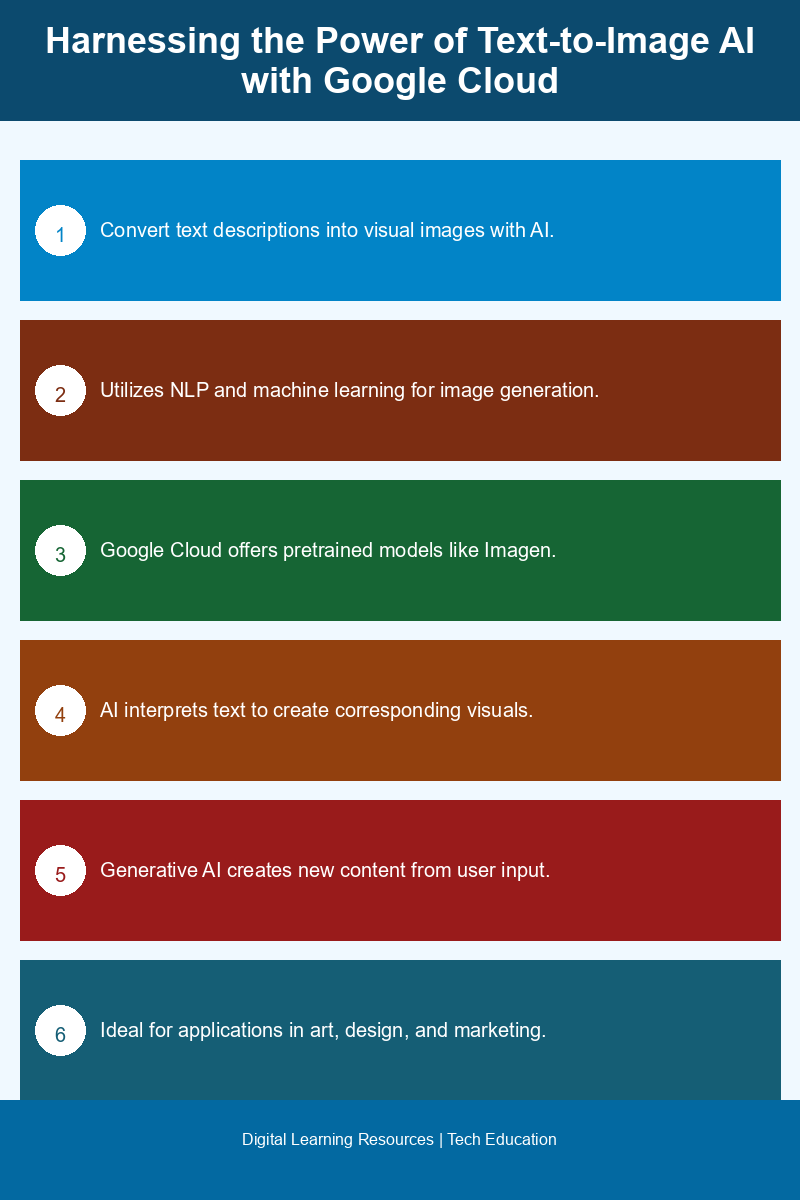
Visual summary of key concepts
Impact of Text-to-Image AI on Visual Content Creation
The implications of text-to-image AI are substantial, particularly for industries reliant on visual content creation. This technology streamlines workflows by allowing creators to generate images from simple text prompts, saving time and resources typically spent on traditional graphic design processes. For example, marketers can quickly produce visuals for campaigns, while content creators can generate illustrations for articles without needing advanced graphic design skills.
Moreover, text-to-image AI fosters creativity by enabling users to visualize concepts that may not exist yet. Artists and designers can experiment with new ideas and styles, pushing the boundaries of their work. The ability to generate multiple iterations of an image based on varying textual inputs allows for a broader exploration of artistic possibilities.
Google Cloud Tools for Developers
Google Cloud offers a suite of tools and resources to facilitate the implementation of text-to-image AI in applications. Developers can access pre-trained models like Imagen and Gemini 3 Pro Image through the Google Cloud platform, allowing for seamless integration into their projects. These tools come with comprehensive documentation and tutorials, making it easier for developers to understand how to utilize the technology effectively.
The Google Cloud Agent Platform also provides additional support for developers looking to incorporate text-to-image generation into their applications. Resources such as APIs, sample code, and interactive demonstrations allow developers to experiment and learn how to optimize this technology for their specific use cases. This support streamlines the development process, enabling quicker deployment of innovative applications that leverage text-to-image capabilities.
Conclusion
Text-to-image AI represents a significant advancement in the intersection of language and visual content creation. Google Cloud’s powerful tools, including pre-trained models like Imagen and Gemini 3 Pro Image, empower developers to harness this technology effectively. As the capabilities of text-to-image AI continue to evolve, its impact on various industries will only grow, transforming how we interact with and create visual content.
Frequently Asked Questions
What is the Imagen model in Google Cloud’s text-to-image AI?
The Imagen model is a state-of-the-art text-to-image AI developed by Google Cloud that generates high-quality images from textual descriptions, leveraging advanced machine learning techniques to create visually appealing and contextually relevant images.
How can I use Google Cloud tools for text-to-image generation?
You can use Google Cloud tools for text-to-image generation by accessing the Google Cloud AI platform, where you can implement the Imagen model or other related APIs to create images based on your text inputs.
Why is Gemini 3 Pro Image significant in text-to-image AI?
Gemini 3 Pro Image is significant in text-to-image AI because it enhances image generation capabilities with improved accuracy and detail, allowing users to create more visually compelling images from textual prompts.
Can I integrate text-to-image AI into my applications using Google Cloud?
Yes, you can integrate text-to-image AI into your applications using Google Cloud by utilizing the available APIs and tools that allow seamless incorporation of the Imagen model into your software solutions.
When was the Imagen model launched by Google Cloud?
The Imagen model was launched by Google Cloud in 2022, marking a significant advancement in the field of text-to-image generation through AI technologies.
Disclaimer: Information gathered from reputed public sources. Verify independently for specific implementations.
Ready to advance your skills? Explore our digital learning resources.
Related reading:
📑 About the author: I also build Digital Bizz Card — hosted digital business cards you can share with a QR code, no app required.