AI chatbots are built using complex systems that enable them to interact with users in natural language. At the heart of their functionality lies a combination of programming logic, state management, and AI algorithms that together create a seamless conversational experience. This article explores how chatbots operate under the hood, focusing on key functions such as user input handling and loading state management.
Core Components of AI Chatbots
To understand how AI chatbots work, it’s essential to break down their core components. These include the user interface, the backend processing logic, and the integration of AI models. Each component plays a crucial role in ensuring that the chatbot can effectively interpret user input and respond accordingly.
The user interface is what users interact with, often featuring text input fields and buttons. The backend processing logic handles various functions, including input validation, state management, and generating responses using AI models. These AI models, often based on machine learning or deep learning architectures, are trained on vast datasets to understand and generate human-like text.
Handling User Input: The Role of the `handleSubmit` Function
One of the critical functions in a chatbot is the `handleSubmit` function, which is responsible for processing user input. This function is activated in two primary ways: by pressing the enter key or by clicking the submit button. This dual activation method ensures that users can interact with the chatbot in a way that feels natural and intuitive.
When the `handleSubmit` function is triggered, it typically performs several tasks:
- Validates the input to ensure it meets expected criteria.
- Triggers the loading state to provide feedback to the user that their input is being processed.
- Processes the input by passing it to the AI model for generating a response.
- Updates the user interface with the chatbot’s reply once the processing is complete.
This function not only enhances user experience but also ensures that the chatbot can handle various types of inputs effectively. For instance, if a user submits a question, the chatbot must recognize it, query the appropriate AI model, and return a relevant answer.
📊 Key Learning Points Infographic
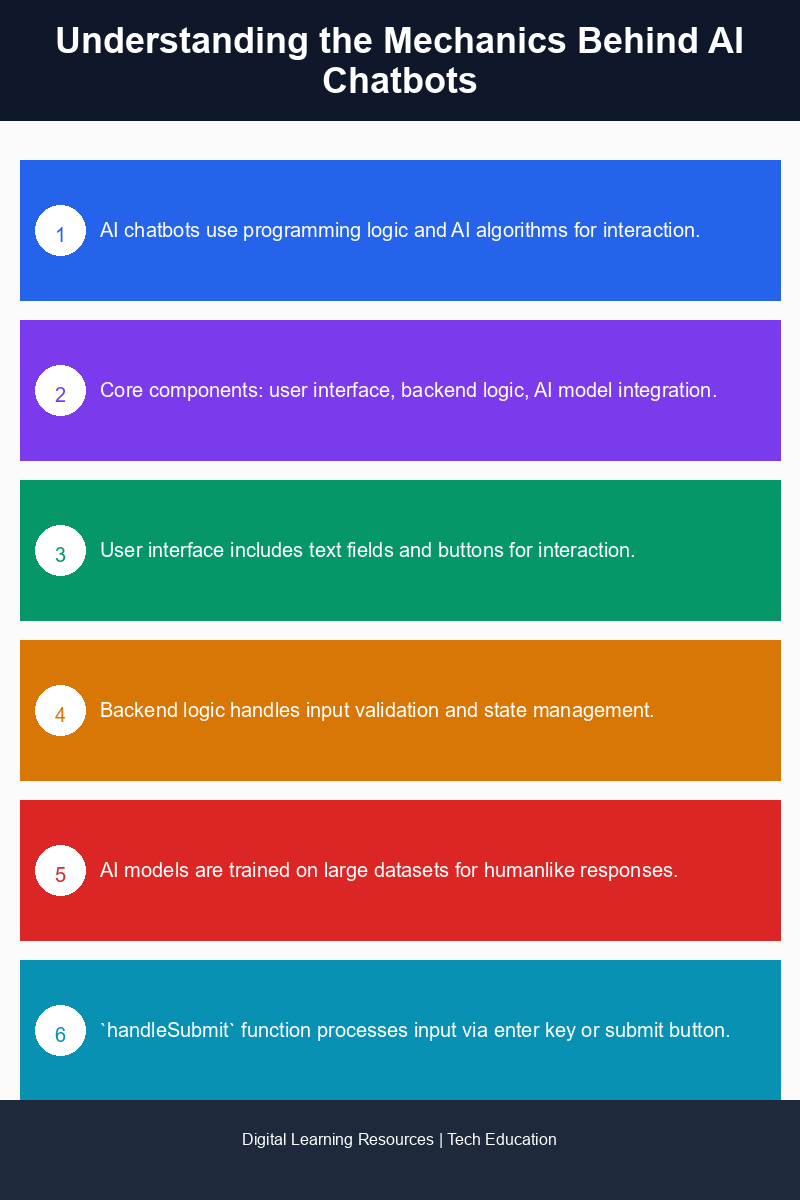
Visual summary of key concepts
Managing Loading States with the `isLoading` Variable
Another crucial aspect of chatbot functionality is managing the loading state, which is typically controlled by the `isLoading` variable. This variable indicates whether the chatbot is currently processing a user input and helps manage how the interface responds during this time.
When a user submits a question, the `isLoading` variable is set to true, which can trigger visual indicators such as loading spinners or progress bars. This feedback is vital for user satisfaction, as it reassures them that their request is being handled. Once the AI model generates a response, the `isLoading` variable is set to false, and the chatbot displays the response to the user.
This simple yet effective mechanism prevents users from submitting multiple requests in quick succession, which can lead to confusion and overload the backend processing system. By clearly indicating when the chatbot is busy, developers can create a smoother and more efficient interaction experience.
Integrating AI Models for Smarter Responses
The effectiveness of an AI chatbot largely depends on the AI models integrated into its backend. Popular frameworks for building these models include TensorFlow, PyTorch, and Hugging Face’s Transformers, which provide pre-trained models capable of understanding and generating human-like text.
When integrating an AI model, developers typically follow a few essential steps:
- Data Collection: Gathering relevant datasets that the model will be trained on. This data often includes conversations, questions, and answers relevant to the chatbot’s intended use.
- Model Training: Training the chosen model using the collected data to improve its ability to understand and respond to user queries.
- Testing and Iteration: Continuously testing the model’s performance and making adjustments based on user interactions to improve accuracy and relevance.
By following these steps, developers can create a powerful AI chatbot that learns from user interactions and improves over time, ultimately enhancing user satisfaction and engagement.
Real-World Applications of AI Chatbots
AI chatbots have found applications across various industries, including customer service, e-commerce, healthcare, and education. In customer service, chatbots can handle common inquiries, allowing human agents to focus on more complex issues. In e-commerce, they assist users in navigating products and completing purchases. In healthcare, chatbots provide preliminary information and support, while in education, they serve as tutoring assistants or help desks.
As AI technology continues to evolve, the potential for chatbots to become more sophisticated and capable of handling a broader range of tasks increases. Companies that leverage AI chatbots effectively can improve their operational efficiency and enhance customer experiences.
In summary, the architecture and functionality of AI chatbots rely heavily on user input handling, backend processing, and AI model integration. Understanding these components provides insight into how chatbots operate and how developers can build more effective and engaging conversational agents.
Frequently Asked Questions
How are AI chatbots built?
AI chatbots are built using a combination of natural language processing (NLP), machine learning algorithms, and pre-defined rules to understand and respond to user queries. Developers typically use frameworks and platforms that facilitate the integration of these technologies to create a seamless user experience.
What is chatbot architecture?
Chatbot architecture refers to the structural design of a chatbot, including its components like the user interface, NLP engine, dialogue management system, and data storage. This architecture determines how the chatbot processes user input and generates responses.
Why is user input handling important in AI chatbots?
User input handling is crucial because it enables the chatbot to accurately interpret and respond to user queries, ensuring a smooth interaction. Effective input handling allows the chatbot to manage various input formats and contexts, improving user satisfaction.
When should state management be implemented in chatbot development?
State management should be implemented during chatbot development to track the conversation context and maintain continuity between user interactions. This is particularly important for complex dialogues where the chatbot needs to remember previous user inputs to provide relevant responses.
Can AI chatbots learn from user interactions?
Yes, AI chatbots can learn from user interactions through machine learning techniques, allowing them to improve their responses over time. By analyzing user feedback and conversation patterns, chatbots can adapt and enhance their performance, leading to a better user experience.
Disclaimer: Information gathered from reputed public sources. Verify independently for specific implementations.
Ready to advance your skills? Explore our digital learning resources.
Related reading:
📑 About the author: I also build Digital Bizz Card — hosted digital business cards you can share with a QR code, no app required.