LangChain and LangGraph are two prominent frameworks designed for building AI agents that leverage large language models (LLMs). While both serve the purpose of enhancing AI capabilities in applications, they differ significantly in their design, workflow management, and use cases. This post will compare these two frameworks, focusing on their strengths, weaknesses, and ideal applications to help developers make informed choices.
Understanding LangChain
LangChain is a versatile framework tailored for integrating LLMs into various applications. It is particularly adept at constructing complex, scalable workflows that encompass multiple steps and sophisticated reasoning processes. Developers can harness LangChain to create intelligent agents capable of dynamically interacting with APIs, databases, and external systems, making it suitable for a wide array of advanced data use cases.
One of the standout features of LangChain is its modular design. This architecture allows developers to implement custom solutions that cater to specific needs, facilitating a high degree of flexibility and scalability. For instance, when creating a customer support agent, developers can build a workflow that integrates natural language understanding with real-time data retrieval from a CRM system, thus enhancing user interactions.
Exploring LangGraph
In contrast, LangGraph offers a more intuitive, visual approach to designing agent workflows. This framework is particularly beneficial for developers and businesses looking to create simpler workflows without the complexity that may come with LangChain. LangGraph supports modular components that enable the creation of dynamic workflows, facilitating feedback loops, decision-making processes, and multi-step tasks.
LangGraph’s interface allows users to visualize their workflows, making it easier to understand and modify them as needed. This is especially advantageous in scenarios where real-time interactions are crucial, such as chatbots or business process automation. For example, a marketing team can use LangGraph to automate responses to customer inquiries while continuously refining the workflow based on user feedback.
Key Differences Between LangChain and LangGraph
When comparing LangChain and LangGraph, several key differences emerge that can influence a developer’s choice of framework:
📊 Key Learning Points Infographic
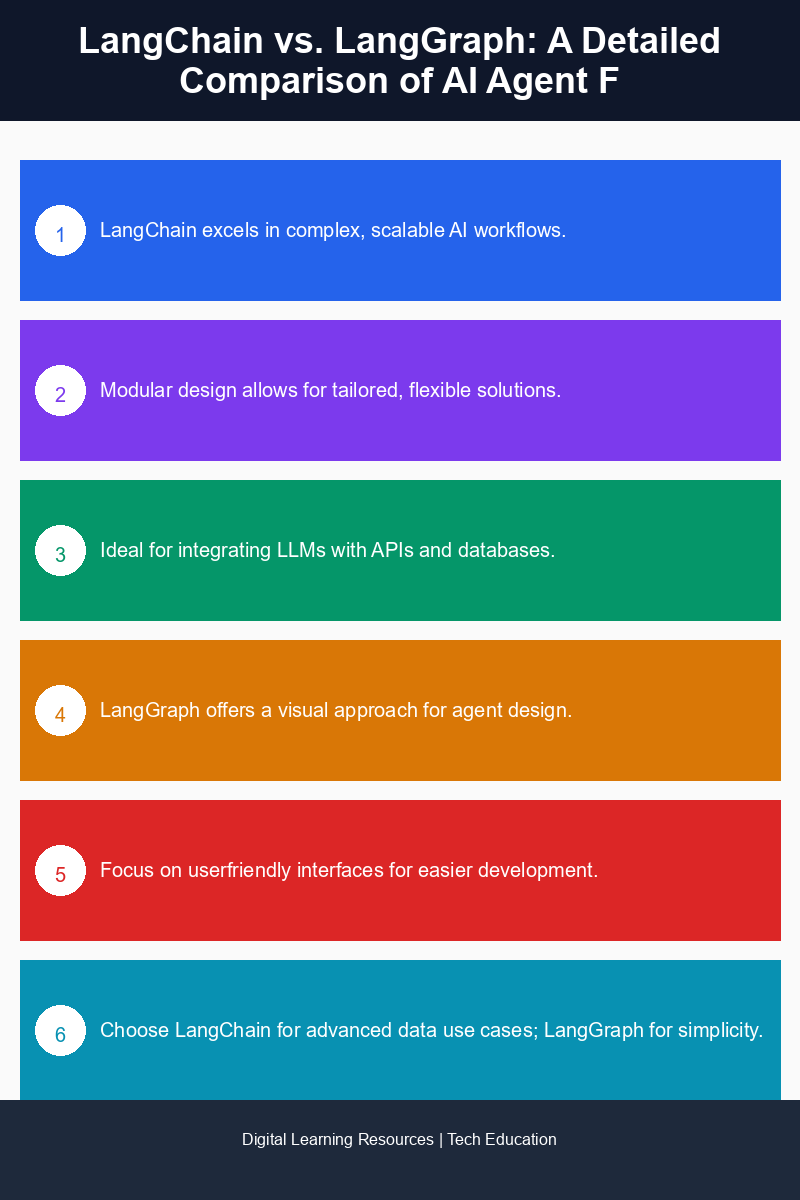
Visual summary of key concepts
- Complexity and Scalability: LangChain is built for complex applications that require deep integration with LLMs. Its architecture allows developers to construct intricate workflows that can scale as needed. In contrast, LangGraph is designed for simplicity and ease of use, making it more suitable for straightforward applications.
- Workflow Design: With LangChain, the focus is on creating scalable workflows that involve sophisticated reasoning. Developers can design multi-step processes that utilize various data sources. LangGraph, meanwhile, emphasizes a visual interface that simplifies the design of workflows, making it easier to create and adjust them.
- Use Cases: LangChain excels in scenarios requiring advanced data handling and deep integrations, such as complex decision-making systems or applications that need to process large datasets. LangGraph is better suited for real-time interactions and business process automation, where rapid adjustments and user feedback are paramount.
- Customization: LangChain’s modular architecture allows for extensive customization, making it ideal for developers who need tailored solutions. LangGraph offers modular components but is more focused on ease of use, which may limit deep customization options.
Use Cases for Each Framework
Understanding the specific use cases for each framework can help developers determine which one to adopt for their projects.
LangChain is well-suited for:
- Complex Decision-Making Systems: Applications that require deep reasoning and data integration, such as financial forecasting tools or risk assessment engines.
- Data-Intensive Applications: Systems that process large amounts of data and require sophisticated workflows, such as healthcare analytics platforms.
- Custom Intelligent Agents: Solutions that involve creating highly customized agents capable of interacting across multiple APIs and databases.
On the other hand, LangGraph is ideal for:
- Real-Time Customer Interactions: Chatbots and support agents that need to adapt quickly based on user inputs and feedback.
- Business Process Automation: Automating routine tasks and workflows that require frequent adjustments based on organizational needs.
- Simple Workflow Design: Projects where a straightforward, visual approach to workflow design is preferred, such as basic task management systems.
Conclusion
In summary, LangChain and LangGraph cater to different needs in the realm of AI agent development. LangChain stands out for its flexibility, scalability, and capability to build complex workflows, making it suitable for advanced applications. Conversely, LangGraph excels in providing a user-friendly, visual interface that is ideal for simpler workflows and real-time interactions. Developers should carefully consider their project requirements and the complexity of the workflows they wish to create when choosing between these two frameworks.
Frequently Asked Questions
What is LangChain and how does it work?
LangChain is an AI agent framework designed to facilitate the development of applications using large language models. It provides tools and integrations that streamline the process of building conversational agents and other AI-driven applications.
How does LangGraph differ from LangChain?
LangGraph focuses on visualizing and managing the flow of data between AI agents, whereas LangChain emphasizes the development and deployment of language model applications. Both frameworks serve different purposes in the realm of AI agent development.
Why should I choose LangChain over LangGraph for my AI project?
Choosing LangChain is ideal if your project requires robust tools for building conversational interfaces and leveraging large language models. If your focus is more on visualizing data interactions and managing workflows, LangGraph might be the better option.
Can I use LangChain with other AI tools and platforms?
Yes, LangChain is designed to be compatible with various AI tools and platforms, allowing developers to integrate it seamlessly into their existing workflows and technologies.
Is LangGraph suitable for beginners in AI development?
Yes, LangGraph offers a user-friendly interface and simplified tools that make it accessible for beginners, while still providing advanced features for experienced developers looking to manage complex AI agent interactions.
Disclaimer: Information gathered from reputed public sources. Verify independently for specific implementations.
Ready to advance your skills? Explore our digital learning resources.
Related reading:
📑 About the author: I also build Digital Bizz Card — hosted digital business cards you can share with a QR code, no app required.