Building a Retrieval-Augmented Generation (RAG) chatbot can significantly enhance user interactions by combining the strengths of large language models (LLMs) with external data retrieval systems. This guide will walk you through the process of creating a RAG chatbot using the LangChain framework, integrating key components like OpenAI for natural language processing and ChromaDB for data retrieval.
Understanding RAG and LangChain
RAG chatbots improve response quality by fetching relevant data from external sources during conversations. By leveraging the capabilities of LLMs alongside effective data retrieval, RAG chatbots can provide more accurate and contextually relevant responses. LangChain is a powerful framework designed to facilitate this integration, allowing developers to create chatbots that can seamlessly access and utilize information from various data sources.
Setting Up Your Python Environment
To build a RAG chatbot, you’ll need to set up your Python environment and install a few essential libraries. Follow these steps:
- Install Python (version 3.7 or higher) if you haven’t already.
- Use pip to install the necessary libraries:
Run the following command in your terminal:
pip install langchain openai chromadb pypdf
Organizing Your Knowledge Base
A well-structured knowledge base is crucial for quick and accurate information retrieval. You can organize your knowledge base in various formats, such as text files, databases, or PDFs. For this guide, we will focus on a PDF-based knowledge base.
Use PyPDF to extract text from your PDF documents. Once you have the text, store it in ChromaDB, which allows for efficient searching and retrieval. Create embeddings for the text to capture its semantic meaning, enabling the retriever to fetch relevant documents based on user queries.
📊 Key Learning Points Infographic
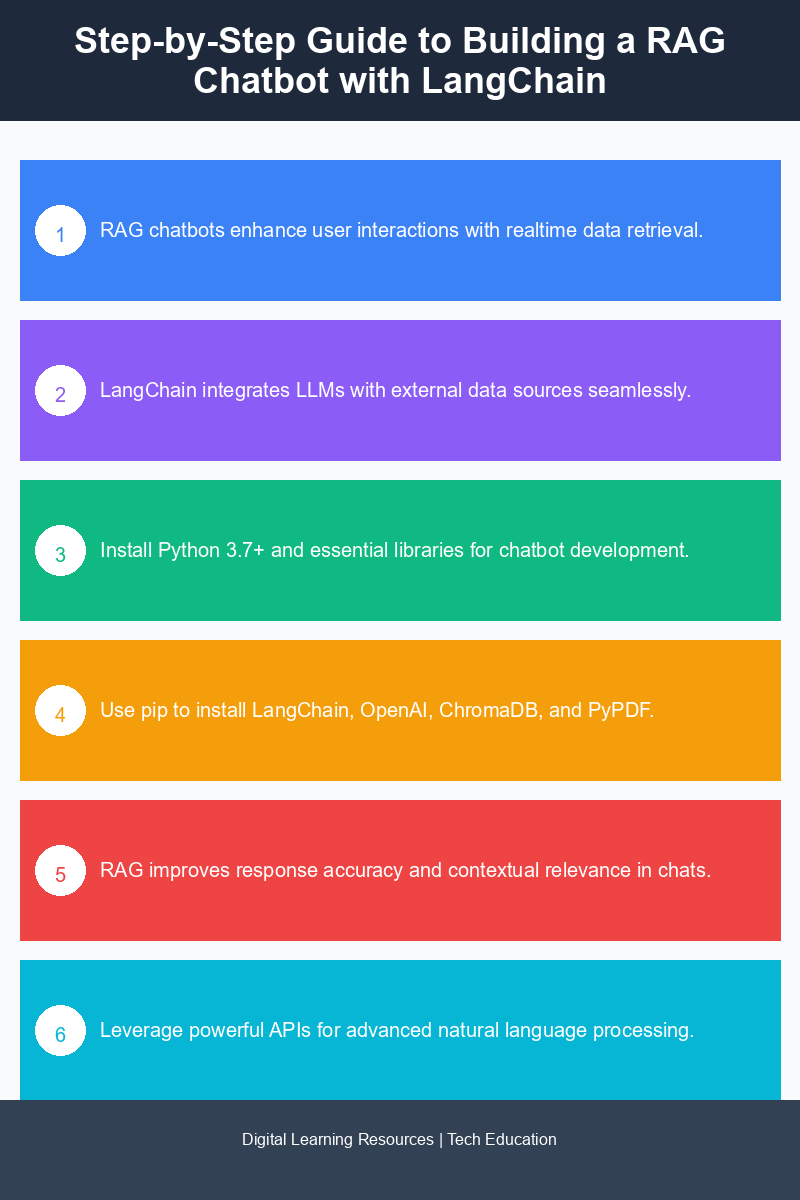
Visual summary of key concepts
Configuring the Retriever
The retriever is responsible for fetching pertinent documents based on user input. In LangChain, you can configure the retriever to match user queries with the stored documents. Here’s how to set it up:
- Define your embedding model using LangChain’s built-in functionalities.
- Set up the ChromaDB instance to store your embeddings and documents.
- Implement a retrieval mechanism that fetches the top N relevant documents using cosine similarity or another distance metric.
Once configured, the retriever will serve as the backbone of your chatbot, fetching information that the LLM will use to generate responses.
Integrating the Language Model
With the retriever in place, you can now integrate the LLM. Use OpenAI’s API to access models like GPT-3 or GPT-4. The integration involves sending the retrieved documents, along with the user query, to the model for response generation. Here’s a basic outline of the integration:
- Fetch relevant documents using the retriever.
- Format the documents and user query into a prompt for the LLM.
- Send the prompt to OpenAI’s API and receive the generated response.
This approach ensures that the chatbot can provide informed responses based on the context and content of the retrieved documents.
Creating a User Interface with Streamlit
To make your RAG chatbot user-friendly, you can create an interactive interface using Streamlit. Streamlit is a powerful tool for building web applications with Python. Follow these steps to set up the user interface:
- Install Streamlit:
pip install streamlit
Run your Streamlit app using the command:
streamlit run your_script.py
This will launch a local web server that you can access to interact with your chatbot.
Advanced Retrieval Techniques
To enhance the capabilities of your RAG chatbot, consider implementing advanced retrieval techniques. These can include:
- Semantic Search: Use semantic embeddings to improve the relevance of retrieved documents.
- Contextual Awareness: Maintain context across multiple interactions to provide more coherent responses.
- Feedback Loops: Implement user feedback mechanisms to refine the retrieval process continually.
By applying these techniques, you can elevate the performance and user experience of your chatbot.
Deploying the RAG Chatbot with FastAPI
Once your RAG chatbot is complete, you can deploy it using FastAPI, a modern web framework for building APIs with Python. Here’s how to set up FastAPI for deployment:
- Install FastAPI and a server like uvicorn:
pip install fastapi uvicorn
uvicorn your_fastapi_app:app --reload
This deployment ensures that your chatbot runs in a reliable environment, providing consistent performance across different scenarios.
Conclusion
Building a RAG chatbot with LangChain is a straightforward yet rewarding process that combines advanced language models with effective data retrieval systems. By following this step-by-step guide, you can create a chatbot that provides informative and contextually relevant responses to user queries. With the integration of Streamlit for the interface and FastAPI for deployment, your chatbot can be both powerful and user-friendly.
Frequently Asked Questions
How do I build a RAG chatbot using LangChain?
To build a RAG chatbot with LangChain, start by setting up your development environment, then integrate data retrieval capabilities to fetch relevant information. Follow the step-by-step guide provided in the tutorial to implement the necessary components and connect them seamlessly.
What is Retrieval-Augmented Generation in chatbot development?
Retrieval-Augmented Generation (RAG) combines the strengths of retrieval-based and generative models, allowing chatbots to access and utilize external data sources for more accurate and contextually relevant responses. This approach enhances the chatbot’s ability to provide informative answers based on up-to-date information.
Why should I use LangChain for building a chatbot?
LangChain offers a flexible framework that simplifies the integration of various data sources and AI models, making it easier to develop sophisticated chatbots. Its modular design allows developers to customize and extend functionalities according to their specific needs.
When should I implement data retrieval in my chatbot?
Implement data retrieval in your chatbot when you need to provide answers that require up-to-date information or specific data that is not hard-coded into the system. This is particularly important for use cases where accuracy and relevance are critical for user satisfaction.
Can I use LangChain for other types of AI applications?
Yes, LangChain is versatile and can be used for various AI applications beyond chatbots, including document analysis, question answering systems, and more. Its robust architecture supports different models and data sources, making it suitable for a wide range of AI-driven solutions.
Disclaimer: Information gathered from reputed public sources. Verify independently for specific implementations.
Ready to advance your skills? Explore our digital learning resources.
Related reading:
📑 About the author: I also build Digital Bizz Card — hosted digital business cards you can share with a QR code, no app required.