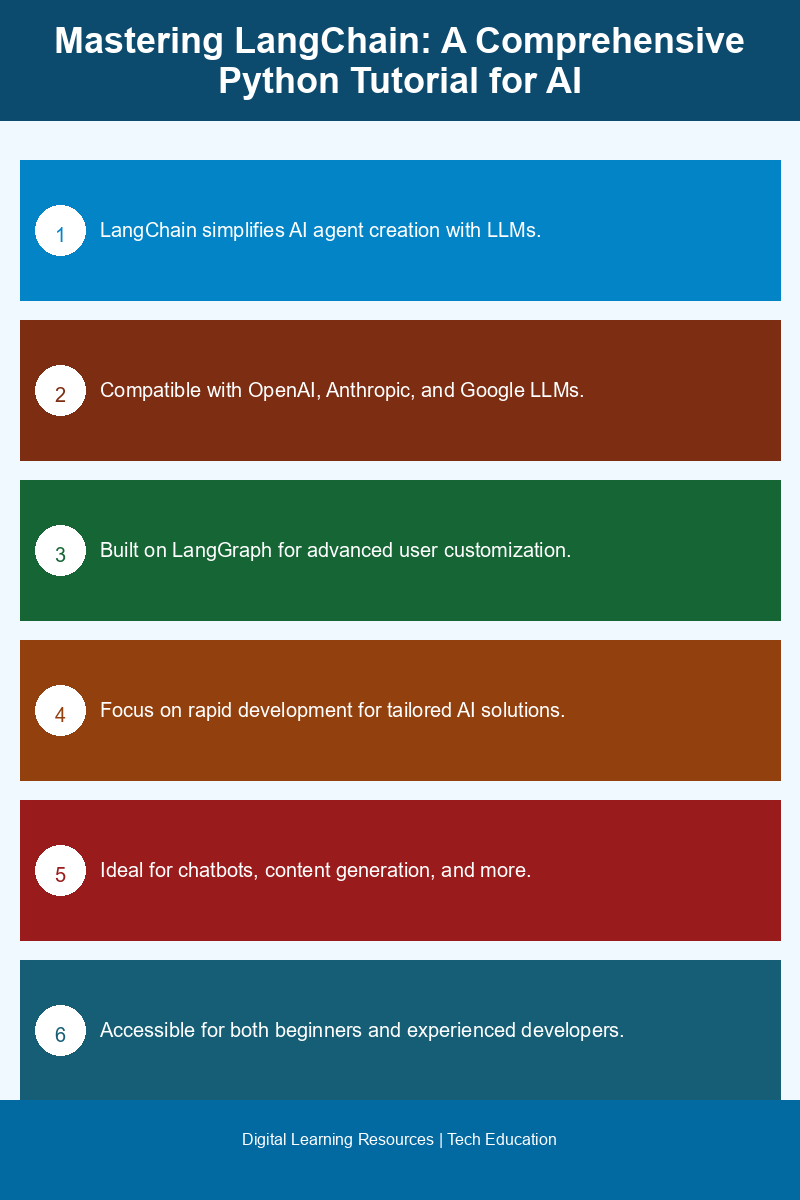
LangChain is an innovative high-level tool designed for building AI agents powered by Large Language Models (LLMs). Whether you’re a beginner or an experienced developer, LangChain simplifies the process of creating tailored AI solutions by providing a standard framework that is compatible with various LLM providers like OpenAI, Anthropic, and Google. This guide will walk you through the essential features of LangChain, its installation process, and how to effectively utilize it in your projects.
Understanding LangChain and Its Capabilities
At its core, LangChain is built on LangGraph, a low-level framework that caters to advanced users needing more control and customization. For beginners and those looking for straightforward agent builds, LangChain offers an accessible entry point. By abstracting complex functionalities, LangChain allows users to focus on building AI agents without getting bogged down in intricate coding structures.
The primary purpose of LangChain is to create a standardized framework for constructing AI agents that leverage the capabilities of LLMs. By supporting a variety of popular LLMs, LangChain enables rapid development, allowing developers to craft tailored AI solutions quickly. This versatility makes it suitable for diverse applications, from customer service chatbots to content generation tools.
📚 Recommended Digital Learning Resources
Take your skills to the next level:

Supported LLMs and Their Importance
LangChain’s compatibility with leading LLMs is one of its standout features. It supports many of the commonly used models on the market, including those from OpenAI, Anthropic, and Google. This broad support means that developers can choose the best model for their specific use case, whether they require nuanced conversational capabilities or robust data processing.
Utilizing LangChain, developers can seamlessly integrate these LLMs into their applications. For instance, if you are developing a chatbot using OpenAI’s GPT-4, LangChain simplifies the process of connecting to the model, allowing you to focus on building the conversational logic instead of worrying about the technical details of the API interactions.
📊 Key Learning Points Infographic
Visual summary of key concepts
Setting Up LangChain with PyCharm
To effectively use LangChain, having a debugger is crucial. The AI Agents Debugger plugin for PyCharm enhances the development experience by allowing users to debug their LangChain applications seamlessly. If you do not already have PyCharm installed, you can download it from the JetBrains website. The installation process is user-friendly, and once installed, you can easily add the Debugger plugin.
To install the AI Agents Debugger plugin in PyCharm, follow these steps:
- Open PyCharm and navigate to the “Plugins” section in the settings.
- Search for “AI Agents Debugger” in the marketplace.
- Click “Install” and restart PyCharm once the installation is complete.
After installation, you will see the AI Agents Debugger icon in the IDE, giving you easy access to debugging functionalities specific to LangChain. This integration is essential for troubleshooting and optimizing your AI agents, as it allows for real-time monitoring of agent interactions and performance metrics.
Installation and Initial Usage of LangChain
Installing LangChain is a straightforward process. You can easily add it to your Python environment using pip. To install LangChain, open your terminal or command prompt and run the following command:
pip install langchainOnce LangChain is installed, you can start building your first AI agent. Here’s a simple example to get you started:
from langchain import LangChain
# Initialize the LangChain agent
agent = LangChain(model="gpt-4")
# Create a simple prompt for the agent
response = agent.generate("What are the benefits of using LangChain for AI development?")
print(response)
This code snippet initializes a LangChain agent using the GPT-4 model and generates a response based on the provided prompt. From here, you can expand your agent’s capabilities by adding more complex logic, integrating additional services, or customizing responses based on user input.
Conclusion: Embracing the Future of AI Development with LangChain
LangChain is a powerful tool that democratizes access to AI development by providing a high-level framework for building agents powered by LLMs. With its compatibility with major LLM providers, ease of installation, and integration with PyCharm’s AI Agents Debugger, LangChain offers developers a robust solution for creating intelligent applications. Whether you are just starting your journey in AI or looking to streamline your existing workflows, LangChain is an essential tool in the ever-evolving landscape of technology.
Frequently Asked Questions
What is LangChain and how is it used in Python AI development?
LangChain is a framework designed for building applications with large language models (LLMs) in Python. It simplifies the integration of LLMs into various applications, enabling developers to create more advanced AI solutions.
How can I get started with a LangChain tutorial?
To get started with a LangChain tutorial, you can follow online resources that provide step-by-step instructions on setting up your environment, understanding the core concepts, and building your first application using LangChain.
Why is LLM integration important in AI development?
LLM integration is crucial in AI development as it allows applications to leverage advanced natural language processing capabilities, enabling more human-like interactions and improved understanding of user input.
When should I use LangChain for my Python projects?
You should use LangChain for your Python projects when you need to implement complex language processing tasks, such as chatbots, text analysis, or any application that requires understanding and generating human language.
Does LangChain support multiple language models?
Yes, LangChain supports various language models, allowing developers to choose the best model for their specific application needs and seamlessly integrate them into their projects.
Disclaimer: Information gathered from reputed public sources. Verify independently for specific implementations.
Ready to advance your skills? Explore our digital learning resources.
Related reading:
📑 About the author: I also build Digital Bizz Card — hosted digital business cards you can share with a QR code, no app required.